
Know what you kept from every shift.
TipHarbor is a tip tracker for servers, bartenders and anyone who earns tips. Cash, card, tip-outs and hours, logged before you leave the parking lot. No ads, no login, nothing to set up.
Why switch
Things we 86'd.
If you've tracked tips in an app before, you've hit a few of these. None of them made it into TipHarbor.
-
Ads between you and your numbers
No ads, free or Pro. Your numbers are the only thing on the screen.
-
Logging in to see your own tips
No account. It opens and saves with no signal, even in a basement bar.
-
A paywall when you just want to save a shift
Logging a shift is always free. Pro adds extras; it never stands between you and Save.
-
Losing years of history
Free backup and restore, plus CSV and JSON export. Your history goes wherever you go.
-
One shift a day, one tip total
Doubles, two jobs, cash and card kept apart, and every tip-out with who got it.
-
Five separate purchases to unlock basics
One Pro upgrade unlocks all of it, and you can buy it once instead of subscribing. If a subscription ends, your records stay readable and editable.
How it works
Built for how the night actually goes.
Tips come in all shift, leave in tip-outs, and sometimes show up two weeks later on a paycheck. TipHarbor keeps it all straight.
Logging
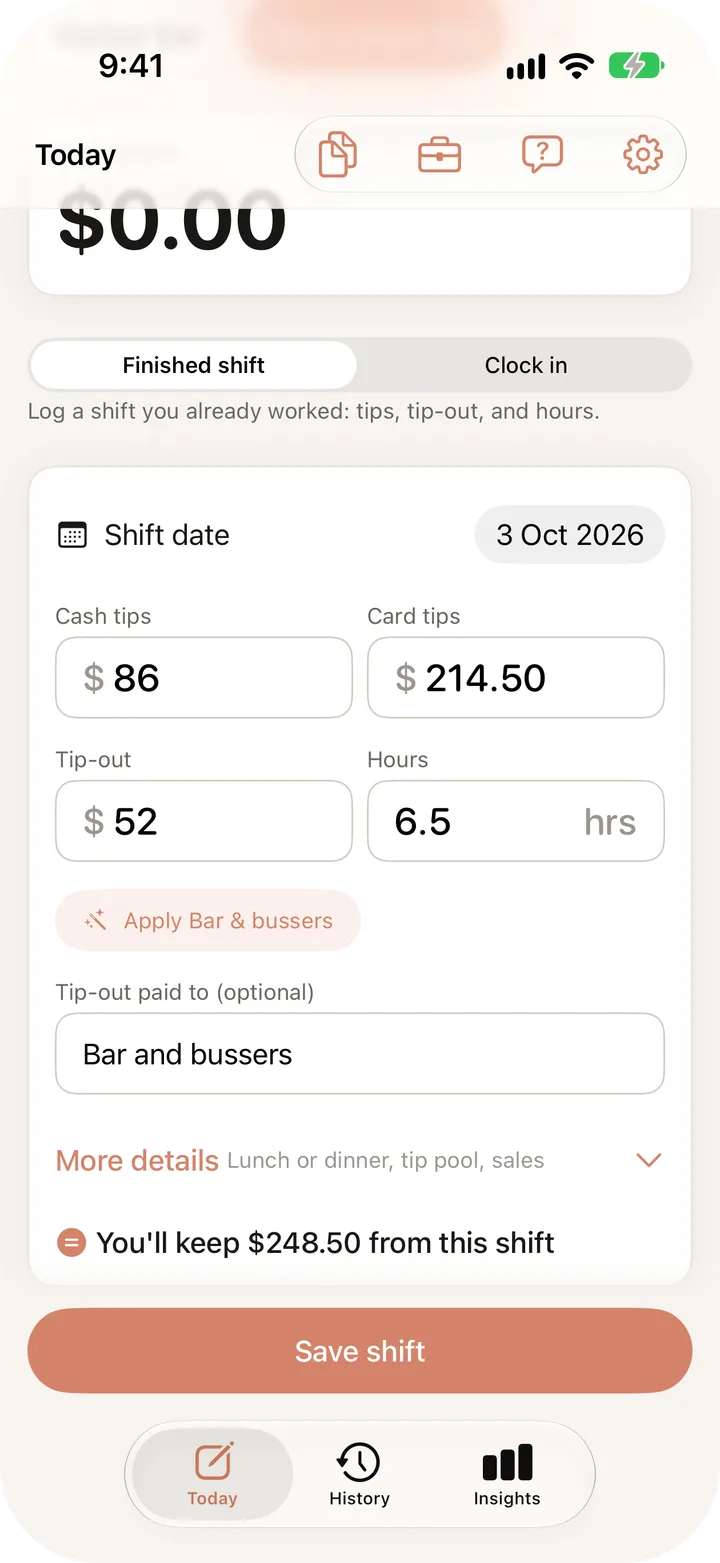
Log it before you leave the parking lot.
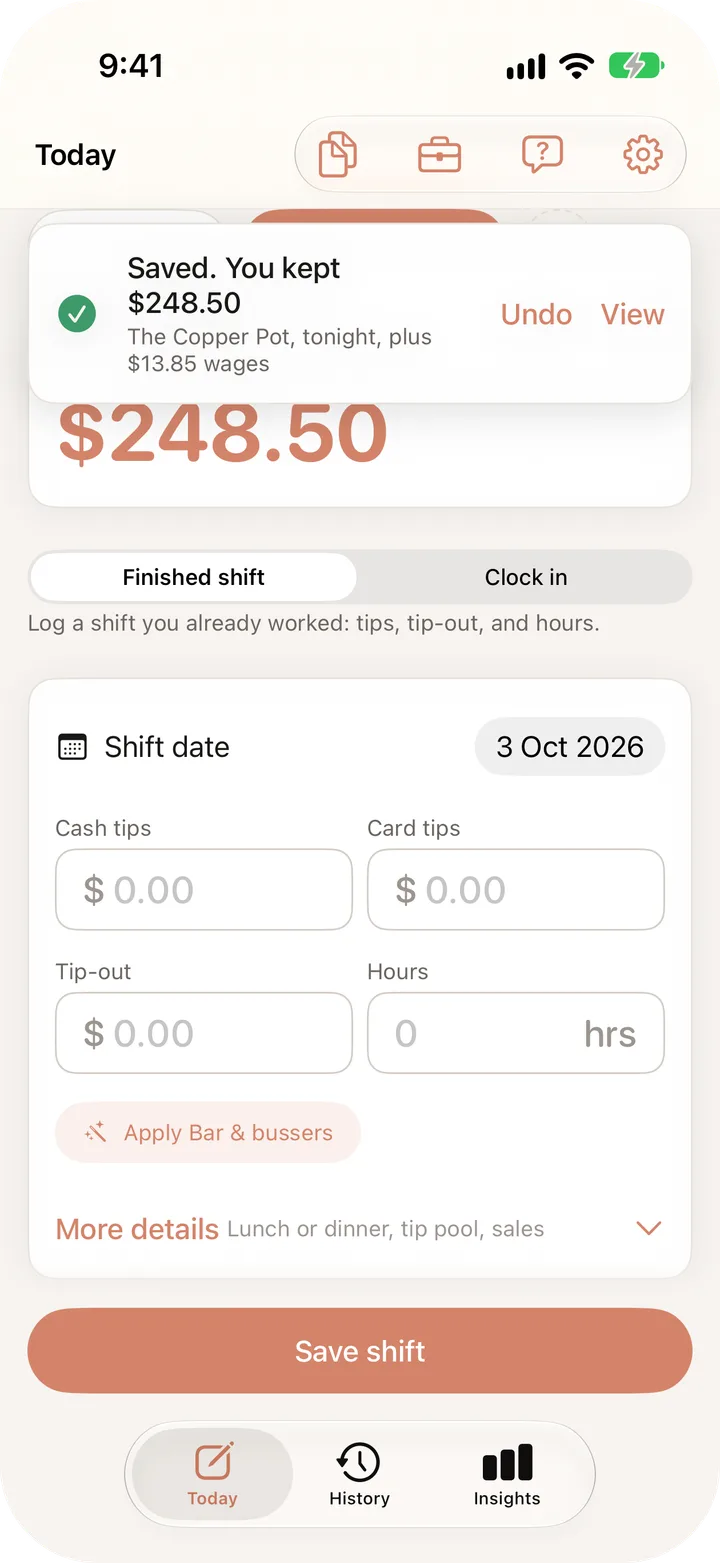
Cash, card, tip-out, hours. You see what you kept before you hit Save, and your wages get added for you.
- Past midnightCounts toward the night you started.
- Tip-out rules Pro3% of sales to the bar, filled in with one tap.
- UndoTypo? One tap puts it all back.
Shift timer
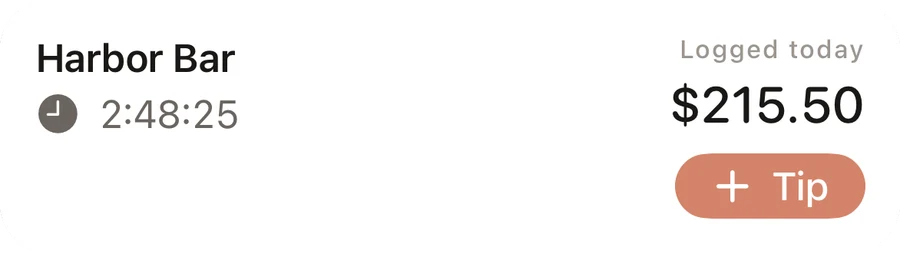
Clock in, then forget about it.
Your hours and tips ride along on the Lock Screen and in the Dynamic Island, with a + Tip button for when a table leaves cash.
- BreaksPause the clock so your hours stay honest.
- Siri and Control CenterSay "Log a tip in TipHarbor" and keep moving.
- Hide amountsKeep the numbers private when coworkers can see your phone.
Paychecks
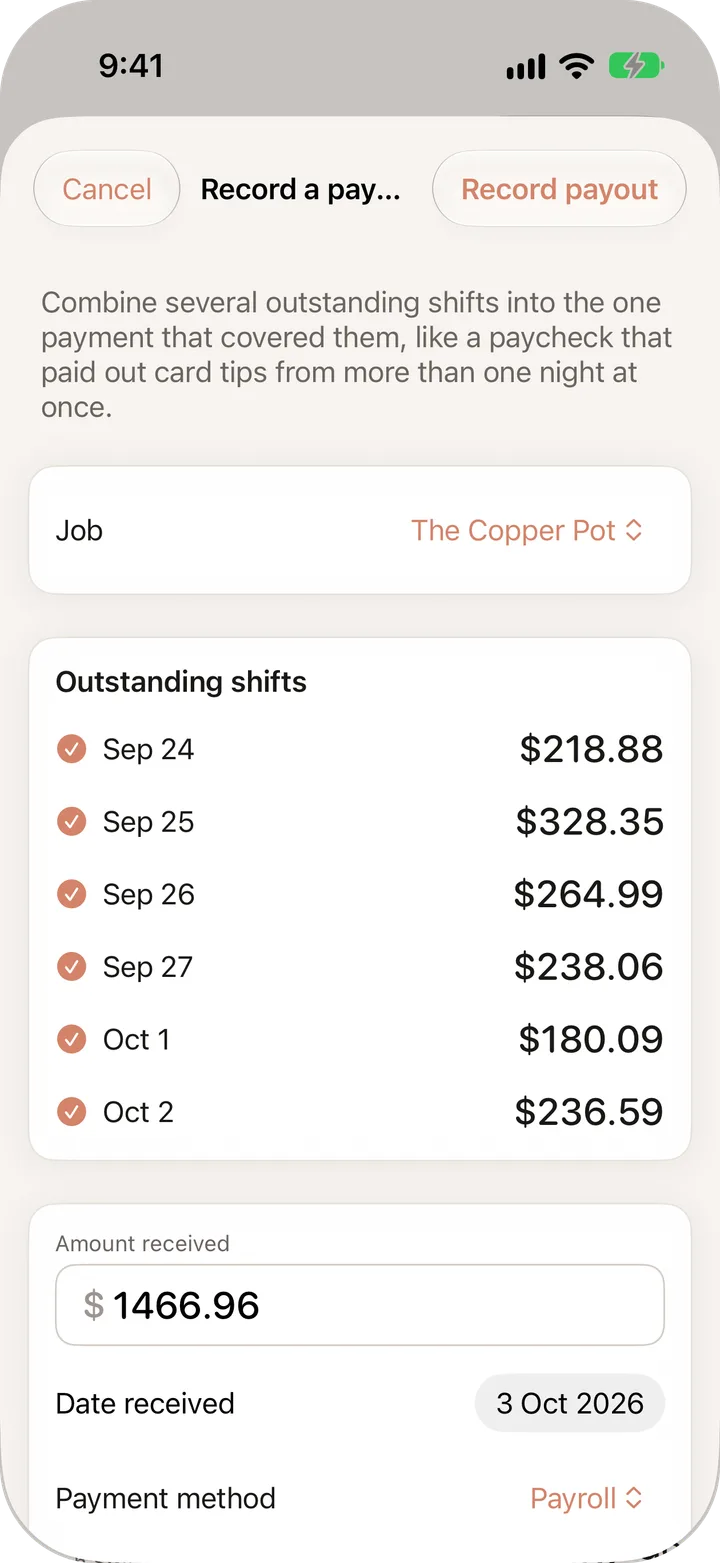
Card tips on your paycheck? Keep score.
A lot of places pay card tips out later. TipHarbor remembers what you're owed, so a short paycheck doesn't slip by.
- Owed shifts waitMark a shift as owed and it stays on the list until it's paid.
- Match the paycheck ProOne payout, six nights, checked against each other in seconds.
History
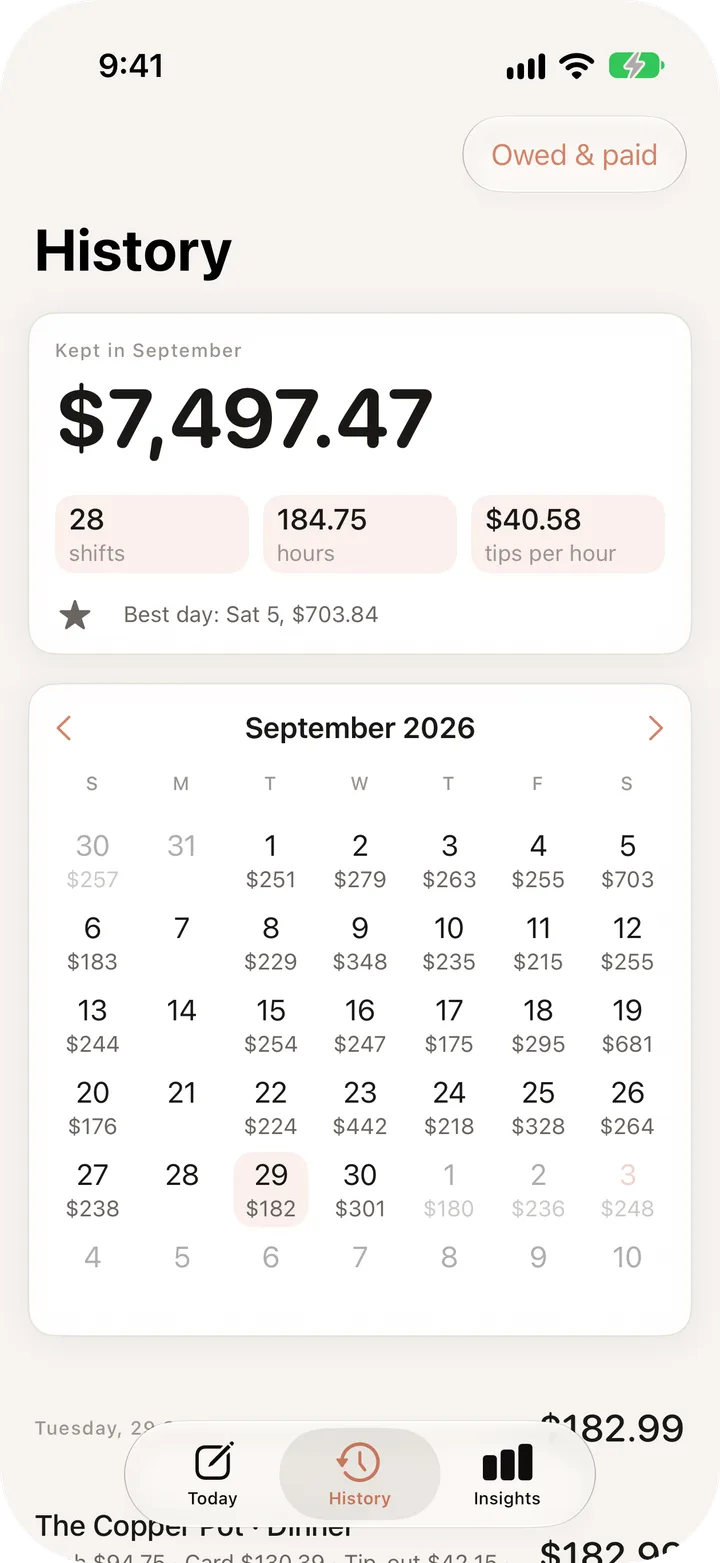
Your month, without the spreadsheet.
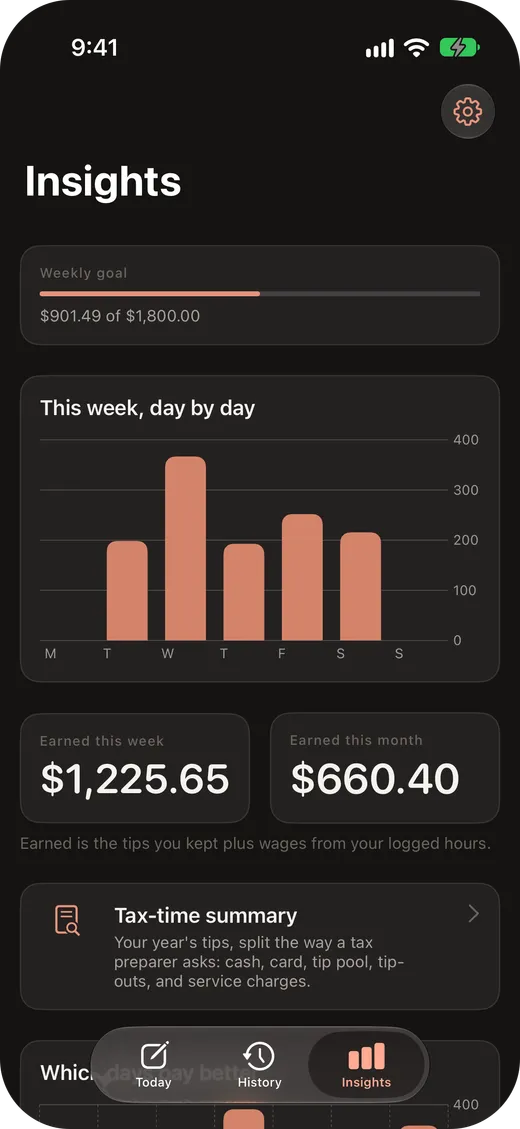
Every day's total on a calendar, with tips per hour and your best day worked out for you.
- What really pays ProWhich nights, which job, lunch or dinner.
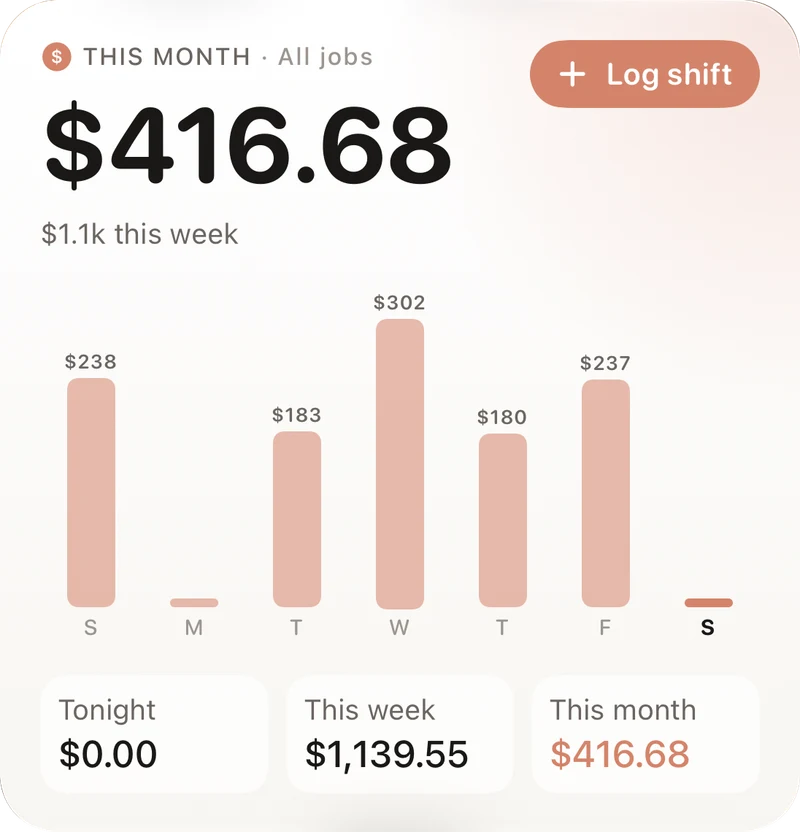
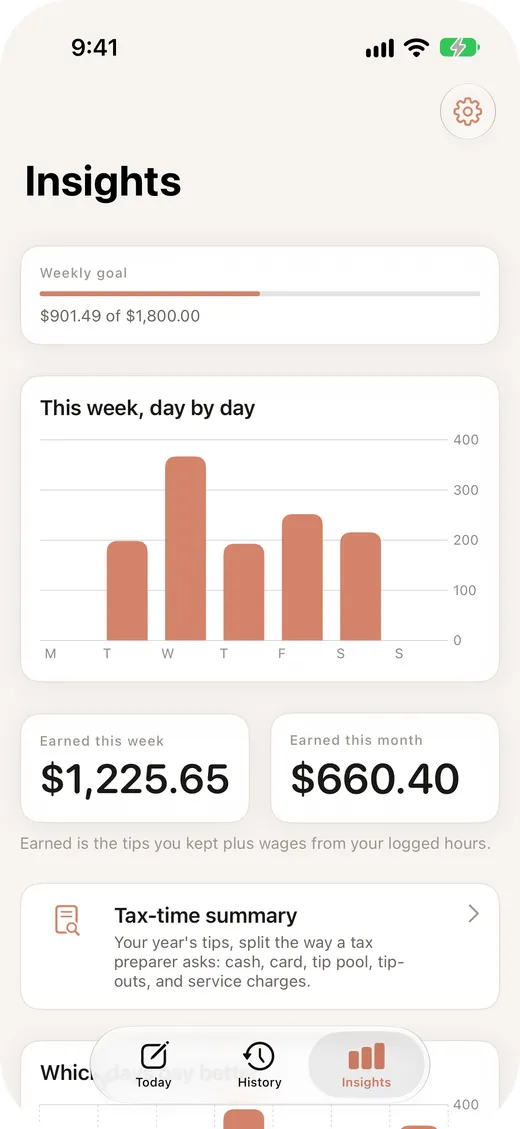
- GoalsSet a weekly or monthly number and watch it fill.
- Widgets ProYour week on the Home Screen, no app opening needed.
Taxes
Tax season, minus the shoebox of receipts.
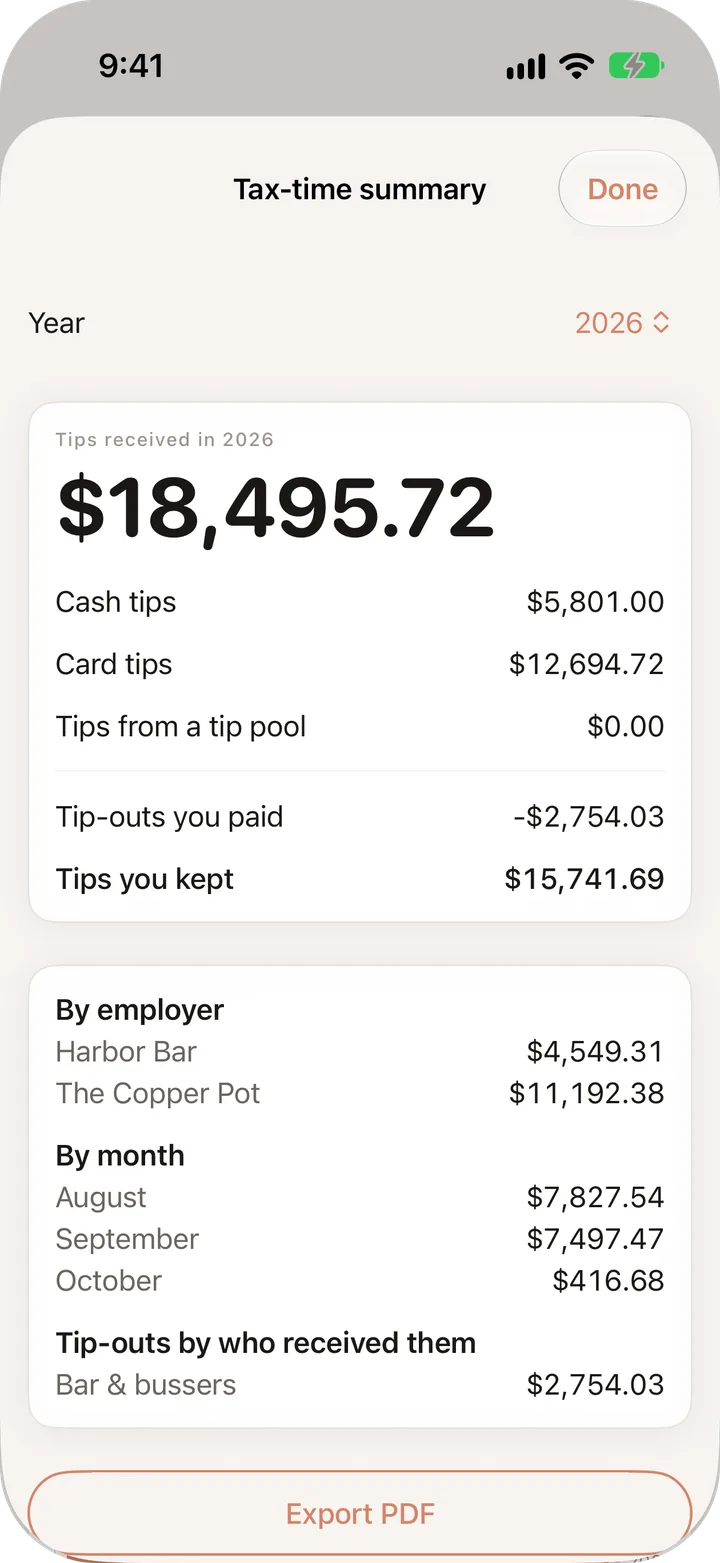
Your whole year on one screen, split the way a tax preparer asks for it.
- Split by typeCash, card, tip pool, and tip-outs with who got them.
- Hand it overExport a CSV for free, or a year-end PDF with Pro.
TipHarbor organizes the records you enter. It isn't tax advice and doesn't file anything. Read how to keep track of tips for taxes.
Switching from another tip app?
Don't start from zero. Bring your history with you, and if anything looks off, undo the whole import in one tap.
- Export a CSV file from your old app or spreadsheet.
- Open it in TipHarbor. It matches the columns for you.
- Check the preview, then import. Duplicates are flagged first.
Themes
Light for the lunch rush. Dark for after close.
Seven looks, and every one comes in light and dark. Set it to match your iPhone and it switches on its own when your phone does.
Light and dark mode are free with Terracotta Ledger. The other six themes come with Pro, and you can try any of them on your own numbers before you pay.
Pricing
Free does the job. Pro goes deeper.
No trial countdown, no limits on logging. Upgrade when you want more, and if you'd rather not add another subscription, buy Pro once.
Free
- Unlimited shifts and history
- Up to two jobs at once
- Cash, card, tip pool and tip-outs
- Shift timer on the Lock Screen
- Calendar, weekly and monthly totals, one goal
- Tax-time summary
- Light and dark mode
- Face ID lock and nightly reminder
- CSV and JSON import and export, full backup
Pro
- Unlimited jobs
- iCloud sync between iPhone and iPad
- Saved tip-out rules and shift templates
- Which days, jobs and shifts pay best
- Match paychecks to the shifts they cover
- PDF reports and a year-end PDF
- Receipt photos on any shift
- Six extra themes, each in light and dark
- Home Screen and Lock Screen widgets
Prices are in US dollars. The App Store shows the price in your currency before you buy. Subscriptions renew until you cancel in your Apple Account settings. TipHarbor records amounts in US dollars for now.
Privacy
Your tips are nobody's business.
What you make is personal. TipHarbor is built so it stays that way.
Read the privacy policy for the full details.
FAQ
Questions people ask
Is it really free?
Do I need a subscription for Pro?
Does it work for bartenders, stylists or delivery drivers?
Can I see my tips if I switch phones?
What happens to my data if I stop paying for Pro?
Does it do my taxes?
You already do the math in the car after close. Let your phone keep it.
Free on iPhone and iPad, iOS 17 or later.